
- Featuring
- Secure Portals
- or pick your industry
- Accounting
- Board Packets For iPads
- Bookkeeping
- Electric Cooperatives
- Engineering
- Financial Advisors
- Investor Management
- Online Forums
- Check Out
Our Most Popular Tools - Secure Document Search Engine
- Enterprise Server
- Secure Web Hosting
- XpressForms
- XpressLedger
-
Welcome to PortalsXpress!
Xtend your website with a secure login
|

Description
PortalsXpress allows you to share documents securely with your clients and field offices. Your clients view and edit documents under their portal, which is branded with your company's name and colors.
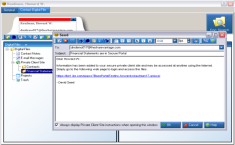
Quickly share documents by printing with our direct-to-portal PDF printer driver. Just print from your favorite application, select a client and the document is available.
Padlocks provide a powerful and intuitive way to secure documents. Keep documents for your accounting department and CEO secured for their eyes only with our Padlocks.
Ever have a document that is hard to find? Think about that across your entire organization. Get search features for your entire portal using our Secure Document Search Engine. Secure document search will never show a document unless you have permission to view it - Padlocks and secure document search work together.
Track who changed documents and when they were updated with our auditing features. These features are configurable, supporting document uploaded, document read, document changed, and document copied actions. For those folders where document auditing is not desired, this feature can be disabled.
Manage your contacts and keep notes about your sales process with our contact notes feature. All contact notes are searchable in later access.
Use external hyperlinks to point to large local documents. You can include these links in your task notes.
Features
click to enlarge
click to enlarge
Portal Branding: We'll brand your portal to include your company banner and colors from your website.
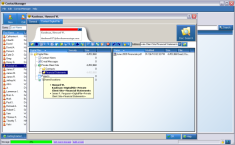
Portal Manager: We make it easy to create and manage individual portals.
File Downloads and Uploads: Your customers can download portal files and view documents using their web browser.
Email Alerts: PortalsXpress notifies you by email each time a customer uploads files in their portal. You'll know the file name, when it was accessed, and by whom.
Print to PDF: You can print PDF output from any Windows application directly to a portal.
Security Padlocks: Make files read-only, manage secure access by groups, prevent accidental deletion, and more.
Customization: If one of our ready-to-use portal solutions doesn't quite fit your needs, we can build a custom portal solution to match your requirements.
Security and Reliability
Security is our number ONE priority. We do the following (and a lot more) to
make sure your data is safe:
- Full and incremental backups are performed nightly
- All backups are encrypted
- Encryption keys for backup retrieval are stored off-site in a secure facility
- Backups are stored off-site in a secure facility separate from their keys
Supported Platforms / Devices
Portal Administrators:
Linux - call for details |
Portal Users: No software installation is required, all you need is a web browser. Supported devices and browsers:
|
All copyrights and trademarks are owned by their respective owners.